Unlocking and Unbricking
Unlocking and Unbricking
Bootloader Unlocking Guide
This guide is for the OnePlus Ace 3V.
Prerequisites
- System: Ensure you are currently on ColorOS.
- Drivers: Install Android SDK Platform Tools on your PC to get ADB and Fastboot drivers.
Steps
Enable Options:
- Go to Settings -> Developer options.
- Turn on OEM unlocking and USB debugging.
Enter Bootloader: Plug your device into your PC and execute:
adb reboot bootloaderUnlock Bootloader: Run the following command:
fastboot flashing unlock- On the device, select Yes using the Volume buttons and confirm with the Power button.
Unlock Critical: Run the following command:
fastboot flashing unlock_critical- On the device, select Yes using the Volume buttons and confirm with the Power button.
Next Steps
Your device is now unlocked (and wiped).
Check the Installation Guide to install PixelOS.
Unbricking and Bootloader Stuck
Bootloader Stuck
If you are stuck in the bootloader, you can use the Bootloader Flash Tool (FastbootFirmwareFlasher).
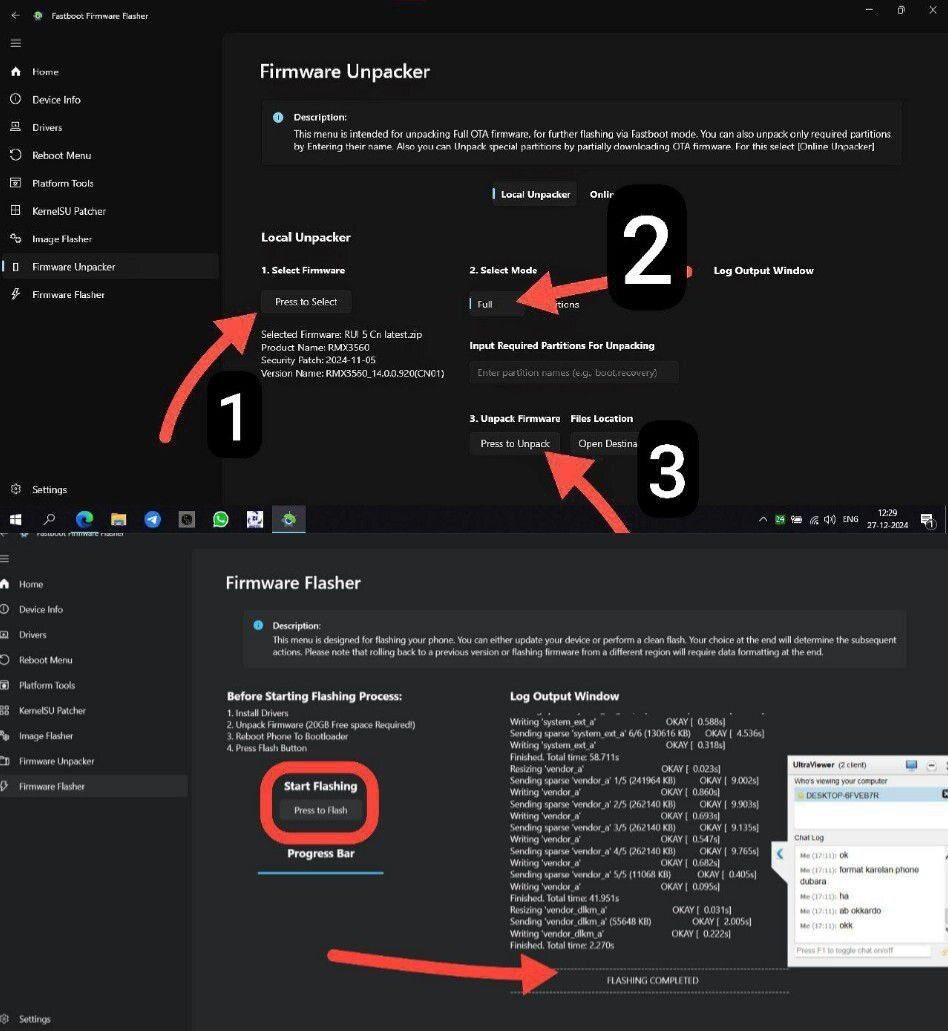
- Connect in Bootloader Mode:
- Connect your phone to PC in bootloader mode.
- Verify connection:
fastboot devices.
- Set Up Flashing Tool:
- Download
FastbootFirmwareFlasher_1.0.0.7.sfx.exe. - Open the tool and go to Firmware Unpacker.
- Download
- Unpack Stock ROM:
- Select a full stock ROM ZIP (not incremental).
- Select Full mode and click Press to Unpack.
- Flash Firmware:
- Go to Firmware Flasher section.
- Click Press to Flash and follow instructions.
- Complete: Your phone will revert to the stock ROM.
Black Bricked (900E Mode)
Credit: CoolAPK user “乐正雨竹”
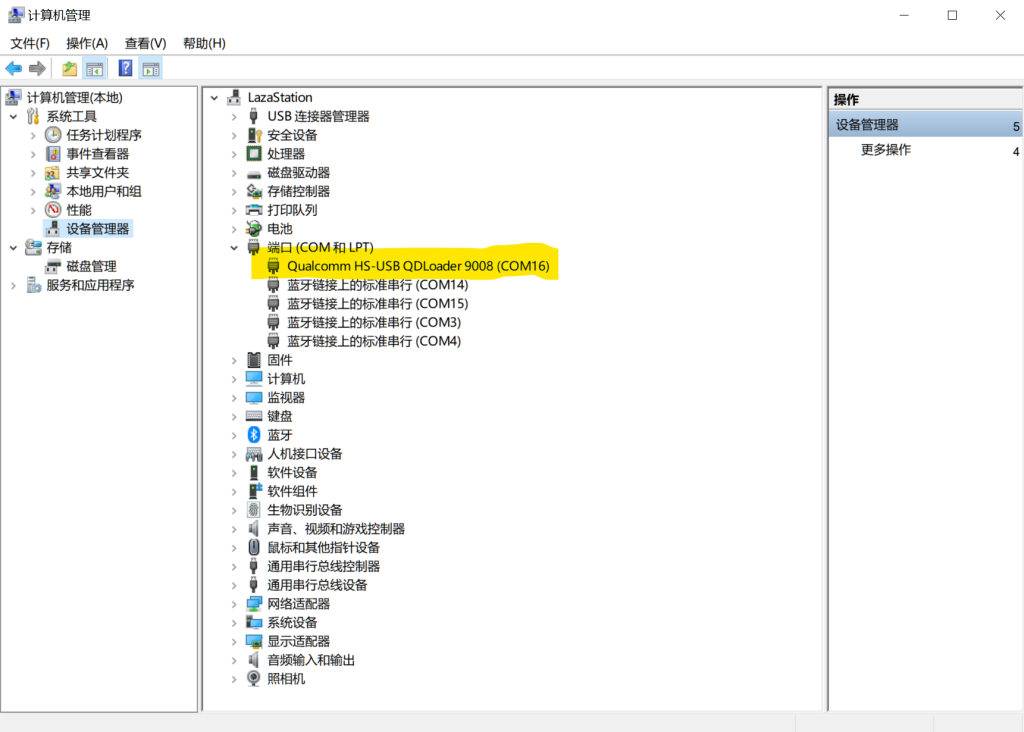
If your device is in 900E mode:
- Prepare Rollback Script:
- Use Super Payload Dumper to extract a rollback ROM.
- Put
rollback.batinto the output folder.
- Enter EDL (9008) from 900E:
- Hold Volume Up + Volume Down and connect data cable.
- Once in
9008, long press Volume Down + Power to enterbootloader.
- Run Script:
- Run
rollback.bat.
- Run
Black Bricked (9008 Mode)
- Recommendation: Go to your local OPlus service center.
- Alternative: Try the OPlus Unofficial Unbrick Tool.
Useful Commands & Button Combos
Button Combos
- EDL (9008) from Off: Power + Volume Up + Connect Cable.
- EDL (9008) from 900E: Power + Volume Up + Volume Down.
- Bootloader from 9008: Volume Down.
Common Commands
# Detect devices
adb devices                # Detect booted devices
fastboot devices           # Detect fastboot/bootloader devices

# Unlocking
fastboot flashing unlock           # Unlock bootloader
fastboot flashing unlock_critical  # Unlock critical partitions

# Flashing
fastboot flash init_boot init_boot.img   # Flash init_boot (root/recovery)
fastboot flash recovery recovery.img     # Flash recovery

# Rebooting
adb reboot bootloader      # Reboot to bootloader
fastboot reboot fastboot   # Reboot to fastbootd userspace
Last updated on